
Quick Payment
Pay your bills, and manage your Zain services with ease.
Pay Company Bill
Enter your company contract number
Quick Payment
Failed to Pay
Amount Due
0 (Including 15% VAT)
Maximum payment allowed:
7000
Type the Desired Amount
00
Amount Due:
0.00
The amount you entered will not cover your total bill
Minimum payment allowed: 0
Maximum payment allowed:
7000
Select Payment Method
Apple Pay
Google Pay
Credit Card / Mada
Other payment options
Facing technical issue? Report a problem
Processing Payment
Processing your payment...
Payment Successful
Payment Successfully Processed. Your transaction details are shown below.
Rate Your Experience
What went wrong?
We are sorry to see you upset, can you please help us to know the reasons behind this rating.
Select Reason
Payment Details
Contract Number
Total Amount
Payment ID
We Appreciate your Feedback!
We value your feedback. Our team is actively working towards improving Zain Business to provide a better experience.

How to Pay with SADAD
- Visit the nearest ATM or your bank's digital platform
- Select bill payment
- Click on telecommunications companies
- Select Zain or enter code 044 for payment
- Enter __________ as Contract Number
- You'll receive a confirmation text after completing the payment
Secure Payment Verification
Zain Business App
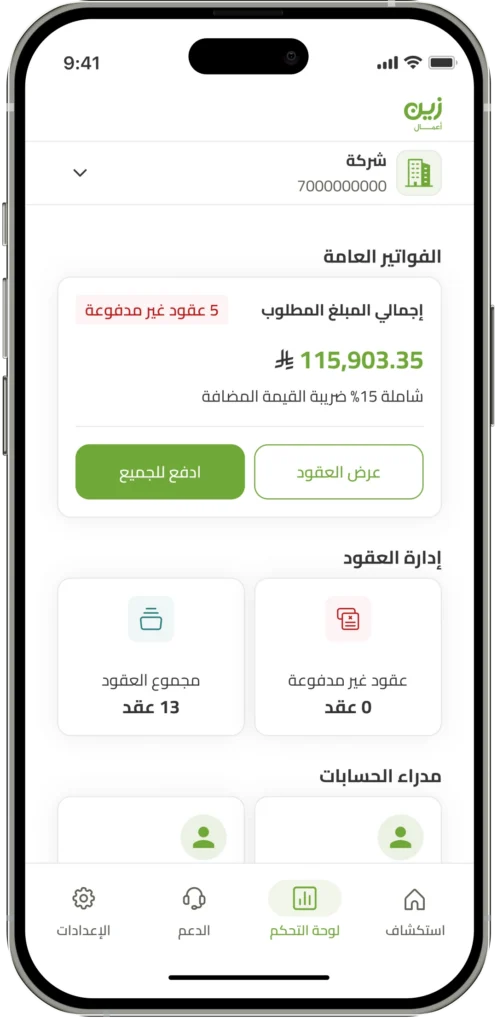
- Access all your contract details and reach account managers for personalized support
- Easy one-click bill payment for all contracts
- Effortlessly access all your active services and manage them effectively