

Zain Gamers Guide
Everything you need to know to create the perfect gaming setup, improve your performance, and maintain a healthy gaming lifestyle. Let’s level up together!
Step 01
Design Your Custom Setup
A set-up that Suits You and Provides Comfort
01
Location
Choose a location that provides space for cables and devices.
02
Desk
The best desks are spacious with the appropriate height for comfort.
03
Chair
A good gaming chair provides back support for long sessions.
Step 02
Choose Your Device
When choosing hardware for your gaming setup, focus on performance and quality.
Choose a powerful computer or console that meets the requirements of your favorite games.
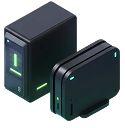
Devices
Best for competitive gaming and customization
High-end GPUs
Fast processors
Optimal cooling
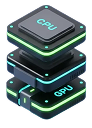
Specifications
Choose the specifications that suit you.
Latest chipsets
High refresh displays
Extended battery
Comparison
Search for the parts you need online and compare prices.
Multi-platform
Seamless sync
Adaptive controls
Step 03
Choose Your Monitor
The monitor is the key component of the visual gaming experience. Choose a high-resolution monitor such as 1440p or 4K with a fast refresh rate of 144Hz or higher.
Monitor Refresh Rate
Higher refresh rates (144Hz, 240Hz) provide smoother gameplay and competitive advantage
Clean screen
Make sure to clean your screen regularly
Graphic card
If your device is a PC, choose the appropriate graphics card for it.
Step 04
Your Network
The better your network, the better your gameplay.
Relying on a strong and stable internet connection is vital for gamers for several key reasons that directly affect the gaming experience, especially in online multiplayer games.
5G Network
We recommend using 5G (click here to enjoy gaming more)
Connect a LAN
Connect a LAN cable to maintain stable ping
Download and updates
Select an appropriate time for downloads and updates to avoid gameplay problems.
Live Streaming
Step 05
Share Your Gaming Journey
Processor
High-quality camera and microphone for professional streams
Additional screen
Prepare an additional screen for watching the broadcast and reading comments
Camera
Mount the camera to your face to engage more with followers
Step 06
Your Health
Your health is more important than gaming
Maintaining your health is essential and should be a top priority,
especially for gamers who may spend long hours in front of screens
Chair
Try to support your back while gaming to avoid future issues
Must To Have
Snacks
Make sure you have snacks to refresh your energy
Nice To Have
Visual Health
Make sure to maintain a reasonable distance from the screen for eye health.
Must To Have
Step 07
Time Management
Organizing your gaming time is an important strategy for maintaining a personal-life. Balance Work and Hobbies
Required
Night
Required
Don’t let gaming keep you up at night
Physical activity
Play but do not forget to exercise IRL too
balance
Balance gaming and studying.